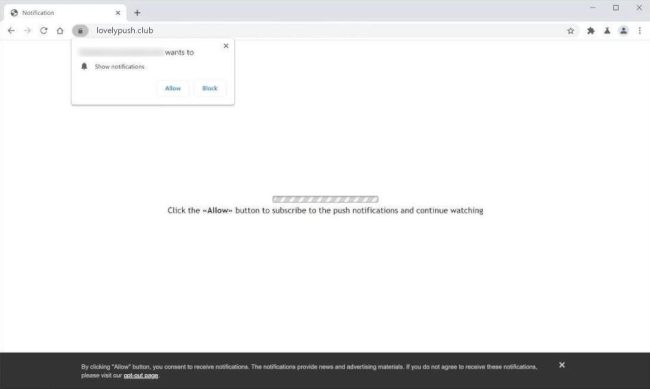
Lovelypush.club is a malicious website that targets unsuspecting users by tricking them into allowing browser notifications. Once a user visits the website, they are prompted with a message claiming that they need to click "Allow" to access the content on the page. However, by clicking "Allow," the user unknowingly gives permission for Lovelypush.club to send them unwanted and potentially harmful notifications.
Category: Removal Guides
Articles on malware and ways to remove it.

How to remove Polyhedra Network $ZK Airdrop pop-ups
Polyhedra Network $ZK Airdrop is a promotional activity conducted by the Polyhedra Network project to distribute free tokens to participants. Airdrops are a common marketing strategy used by cryptocurrency projects to increase awareness, attract new users, and reward existing community members. In the case of Polyhedra Network $ZK Airdrop, participants may receive a certain amount of $ZK tokens simply by completing specified tasks, such as joining the project's social media channels or referring friends.

How to remove Adaware Web Companion
Adaware Web Companion is a potentially unwanted program (PUP) that claims to enhance users' online browsing experience by providing protection against malicious websites and advertisements. However, many security experts classify Adaware Web Companion as adware due to its intrusive behavior, such as displaying pop-up ads, redirecting users to sponsored websites, and collecting browsing data for advertising purposes. Users may unknowingly install Adaware Web Companion alongside freeware or shareware applications, as it is often bundled with other software as a way to monetize the distribution.

How to remove FindQuest Search
FindQuest Search is a type of adware that infiltrates computers and web browsers in order to display intrusive advertisements and redirect users to sponsored websites. This adware typically gets installed on a computer through bundled software downloads, deceptive online ads, or malicious websites. Once installed, FindQuest Search modifies browser settings, such as the default search engine and homepage, to promote its own search engine and display targeted ads to users.

How to remove Iambest.io
Iambest.io is a type of adware that infects computers and browsers, causing users to experience a high volume of intrusive and unwanted advertisements. This adware typically enters a system through deceptive means, such as bundled software downloads or malicious websites. Once installed, Iambest.io is able to track users' online activities and display targeted ads based on their browsing history.

How to remove Mental Mentor
Mental Mentor is a type of malicious software, also known as malware, that infects computers and can cause significant harm to the user's system. This malware is designed to steal sensitive information, such as passwords, financial data, and personal documents, from the infected computer. Mental Mentor can also disrupt the normal functioning of the computer, making it slow and unresponsive.

How to remove $SAFE Token Airdrop pop-ups
$SAFE Token Airdrop is a phenomenon where users may see pop-ups or notifications in their web browsers informing them of receiving free tokens. These tokens are typically distributed by blockchain projects as a way to promote their platform, increase user engagement, and distribute tokens to a wider audience. Airdrops are often used as a marketing strategy to attract new users and create a buzz around a project.
How to remove Mydotheblog.com
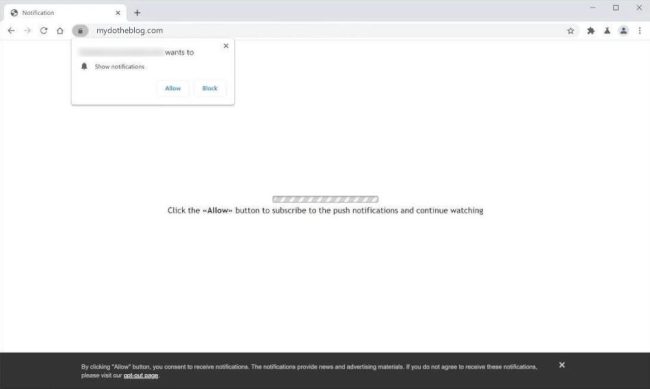
Mydotheblog.com is a malicious website that infects computers by tricking users into allowing browser notifications. Once a user visits the site, they may see a pop-up message that prompts them to click "Allow" in order to view content or continue browsing. By clicking "Allow," the user unknowingly gives the site permission to send push notifications to their browser, which can lead to a variety of unwanted consequences.
How to Remove Yonminuner.com
What Is Yonminuner.com?
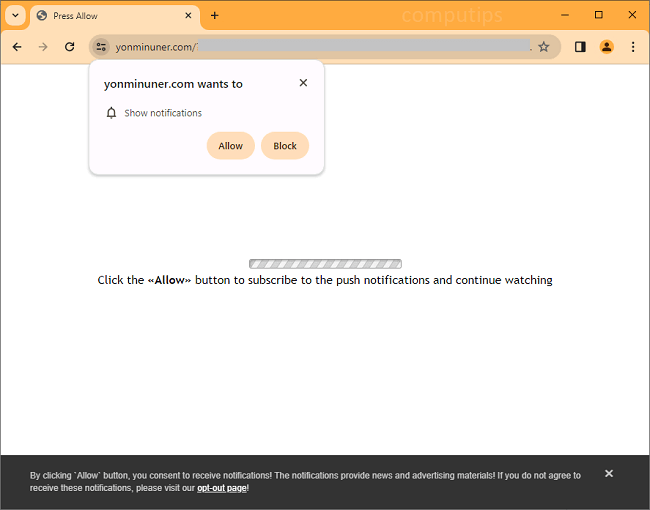
Yonminuner.com is an untrustworthy webpage that tries to make users allow it to send them notifications. Yonminuner.com may tell users that they need to allow its notifications if they wish to access a page, download a file, continue watching a video, etc. If a user does turn on notifications from Yonminuner.com, the notifications will begin showing up on the screen periodically with ads, links to shady sites, scammy messages, fake warnings from the OS, etc. Yonminuner.com notifications will be appearing in a corner of the screen if it’s a computer or on the status bar if it’s a mobile phone/tablet.
How to Remove Re-captha-version-3-73.com
What Is Re-captha-version-3-73.com?
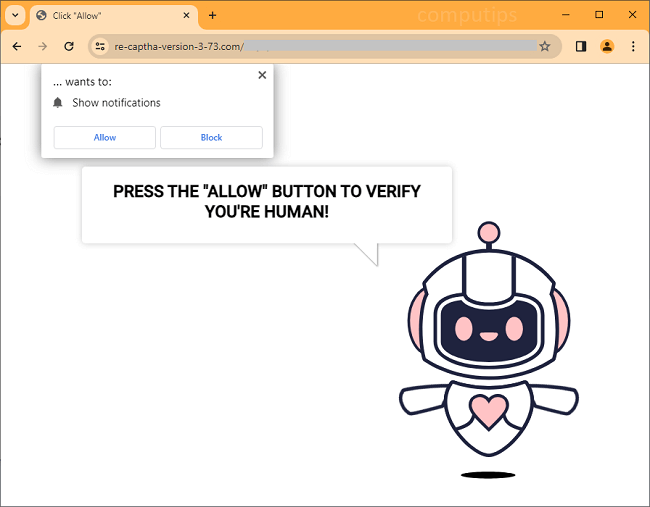
Re-captha-version-3-73.com is an untrustworthy website that tries to trick users into subscribing to its notifications. Re-captha-version-3-73.com claims that users need to click or tap Allow on its “Show notifications” dialog box to prove that they are not robots and access a page. If a user clicks Allow, notifications from Re-captha-version-3-73.com will begin appearing on his or her screen periodically with ads, clickbait links, fake alerts, scammy messages, and so on. The notifications will be showing up in the lower-right corner of the screen on a Windows computer, in the top-right corner of the screen on a Macbook, or on the status bar on an Android device.